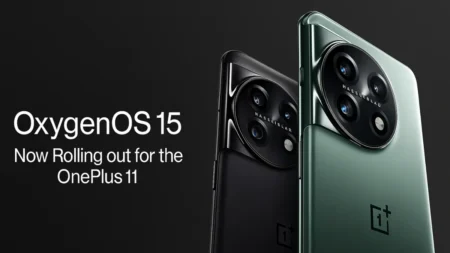
OxygenOS 15 OnePlus 11R Update is finally here, bringing a host of new features, optimizations, and enhancements to make your device smoother, smarter, and more future-ready. In this article, we will explore the update in depth — what’s new, how to get it, pros & cons, and tips to make the most of it
What is the OxygenOS 15 OnePlus 11R Update?
At its core, OxygenOS 15 OnePlus 11R Update is the Android 15–based operating system version that OnePlus has tailored for the 11R series. Rather than just being a bug-fix release, it delivers meaningful changes in the UI, system performance, AI-powered tools, and enhanced security layers. According to OnePlus, OxygenOS 15 is their “lightest ever” in terms of system footprint, promising leaner performance and smoother animations.
For OnePlus 11R users, this stable rollout signifies that your device is now part of the newer software ecosystem rather than being left behind.
When Did the OxygenOS 15 OnePlus 11R Update Roll Out?
OnePlus initially announced that the 11R would be included in the December wave of the OxygenOS 15 rollout. The stable update for the 11R was confirmed via the Oxygen Updater platform.
Subsequent patches have followed. For example, the 15.0.1 version was released to 11/11R models with additional interface tweaks and features like stacked notifications. More recently, build v841 (incremental over v830) has been surfaced in some regions as a release candidate, bringing further refinements.
Because rollouts tend to be staggered, your particular region or carrier may receive the update later than others.
Key Features in OxygenOS 15 for OnePlus 11R
Here’s what the OxygenOS 15 OnePlus 11R Update brings to the table — not just new stuff, but real improvements:
1. Slimmer & Faster System
The update claims a 20% reduction in system footprint compared to OxygenOS 14, freeing up space and reducing internal clutter. Animations, app launches, and transitions feel silkier and more fluid because of better tuning.
2. AI-powered Tools & Camera Enhancements
- AI Unblur / AI Reflection Eraser / AI Detail Boost: These tools help recover detail from low-quality or blurred images.
- AI-powered Audio & Text Features: Cleaner voice transcription eliminating filler words, tone adjustment, etc.
- Reversible Photo Edits: The update can revert edits or apply them non-destructively for smoother workflow.
- Circle to Search: You can draw a circle around an area on screen to trigger search for that content without leaving the app.
3. UI & Customization Upgrades
- Stacked Notifications / New Notification UI: The update introduces a new way to group and view notifications.
- Refreshed Lock Screen / Widgets: You’ll find new widget styles, lock-screen personalization options, and better control over visual elements
- Faster Task Switching & Multitasking: Users report significant gains in responsiveness when switching apps or opening heavy tasks.
Also read: PlayStation 5 Slim Digital Edition: Everything You Need to Know About Sony’s Sleek Gaming Console
4. Security & Privacy Enhancements
- Theft Protection / Biometric Lock: In case of theft or unauthorized usage, the system can self-lock based on abnormal motion.
- Live Threat Detection via Google Play Protect is further integrated to scan for malicious apps or behaviors.
- SMS Vulnerability Warning: A serious vulnerability (CVE-2025-10184) was discovered in many OxygenOS versions (12 to 15), allowing malicious apps to access SMS/MMS data. OnePlus acknowledged this and said a fix would roll out globally by mid-October. If your 11R is on OxygenOS 15, ensure you apply security patches promptly.
Performance & User Feedback
In community forums, OnePlus 11R users have often remarked that benchmarks, such as Geekbench single-core scores, saw a noticeable jump after updating. Opening apps, multitasking, and overall responsiveness are praised as smoother than before.
However, as with any major upgrade, a few fans note changes they don’t like. For example, certain menu behaviors or default settings might have shifted, requiring manual re-adjustment. Always check your personalized settings after updating to ensure the experience feels right for you.
How to Install the OxygenOS 15 OnePlus 11R Update
You can follow these steps to update (if your device hasn’t received it automatically):
- Backup your data — especially photos, messages, and important files.
- Go to Settings → System → Software Update.
- If the update is available in your region, it will show as OxygenOS 15 (or a version 15.x.x). Download and install.
- For some regions not yet receiving it, apps like Oxygen Updater can let you fetch the OTA package manually.
- After installation, allow your system 10 – 15 minutes to settle (indexing, caching, etc.).
If you encounter issues — for example, lag, battery drains, or app crashes — consider clearing cache partitions or doing a clean reinstall (factory reset). Also make sure all your apps are updated to latest compatible versions.
Pros & Cons of the OxygenOS 15 OnePlus 11R Update
| Pros | Cons / Risks |
|---|---|
| Lighter, snappier performance | Some users may find behavior changes in UI or menus |
| Advanced AI tools and camera enhancements | New bugs or app incompatibilities may appear initially |
| Better security layers & threat detection | The discovered SMS vulnerability affects many on OS 15 — patch needed |
| Customization options & notification improvements | Staggered rollout — may take time in your region |
| Future-proof with Android 15 features | Possible battery impact in early days as system optimizes |
Tips to Get the Best from the Update
- After updating, reboot your phone a couple of times in the first 24 hours to stabilize performance.
- Monitor Settings → Battery & Performance to customize profiles (balanced, high performance, etc.).
- Explore the AI tools in the Camera and Notes apps; they can add real value once you get used to them.
- Keep checking for patch updates, especially security patches, to stay protected.
- If you experience performance dips, clear app caches or reset certain customizations.
Also read: Apple iPhone 16 Pro Max: Features, Specs, and Everything You Need to Know
conclusion
If you own a OnePlus 11R and haven’t yet updated to OxygenOS 15, it’s a worthwhile upgrade. The gains in speed, the new camera/AI tools, and enhanced security make it a strong step forward. Yes — as with all big updates — you might need to tweak a few settings or wait a bit for your region’s rollout, but the long-term benefits are quite compelling.
Just make sure you back up your data, update apps after the OS upgrade, and keep an eye out for further security patches (especially for the SMS vulnerability issue). Once everything settles, the OxygenOS 15 OnePlus 11R Update can help your phone feel fresher and more capable than ever.
If you like, I can also give you a region-wise OTA schedule or a changelog of version v841 that’s rolling out now — would you like me to fetch that for your specific country?
Is OxygenOS 15 OnePlus 11R Update available for all users?
The update is being rolled out in phases, which means not all users will get it at the same time. Some regions may receive it earlier, while others may have to wait a few weeks. You can manually check in Settings → System → Software Update.
What are the biggest new features in OxygenOS 15 for OnePlus 11R?
The update brings AI-powered tools (like AI unblur and Circle to Search), a lighter and faster UI, stacked notifications, refreshed lock screen widgets, and stronger security features such as theft protection and better app scanning.
Should I update to OxygenOS 15 right away?
Yes, it is recommended, as the update improves performance, battery optimization, and security. However, make sure to back up your data before updating. If you’re worried about bugs, you can wait for the next patch release, which usually fixes early issues.